How to search a Cyprus company — step by step, with screenshots
This is exactly what you see when you search a Cyprus company on ESearchCy — from the search box to the file in your inbox. Searching is free and needs no account; you only sign in when you order. The whole walk-through also exists as a 2-minute video.
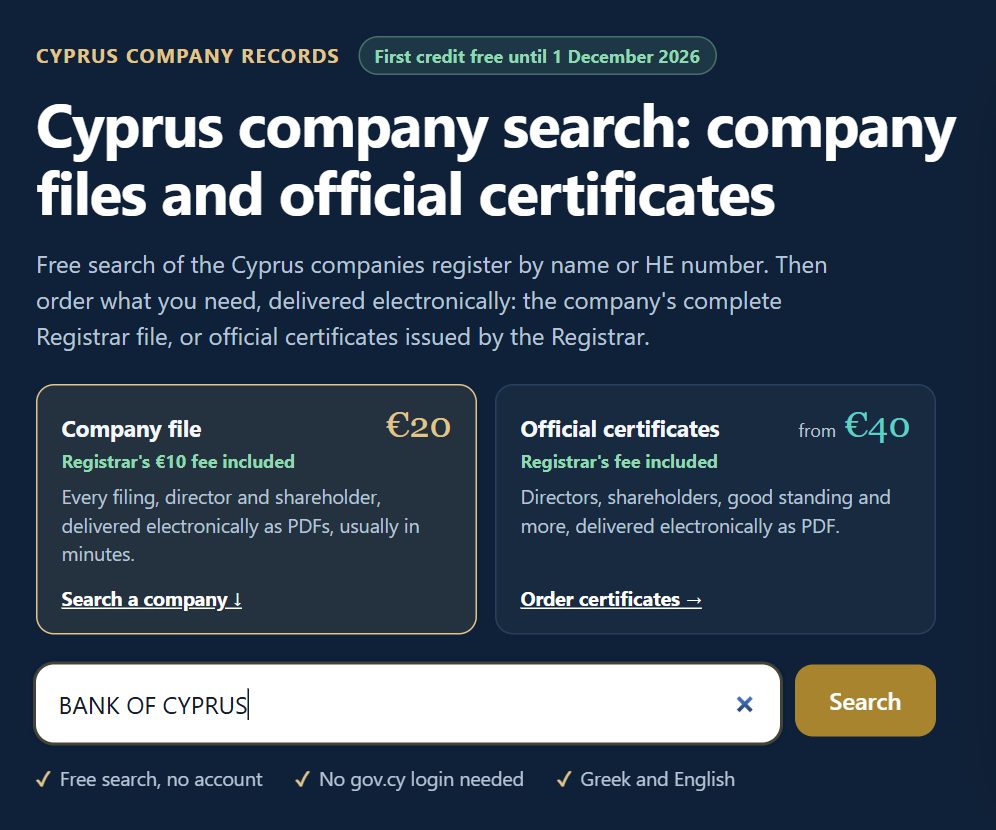
1. Type the company name or HE number
On esearchcy.com, type the name in Greek or English — or the company's ΗΕ registration number, which finds exactly one company — and press Search. No account, no gov.cy login.
2. Read the results
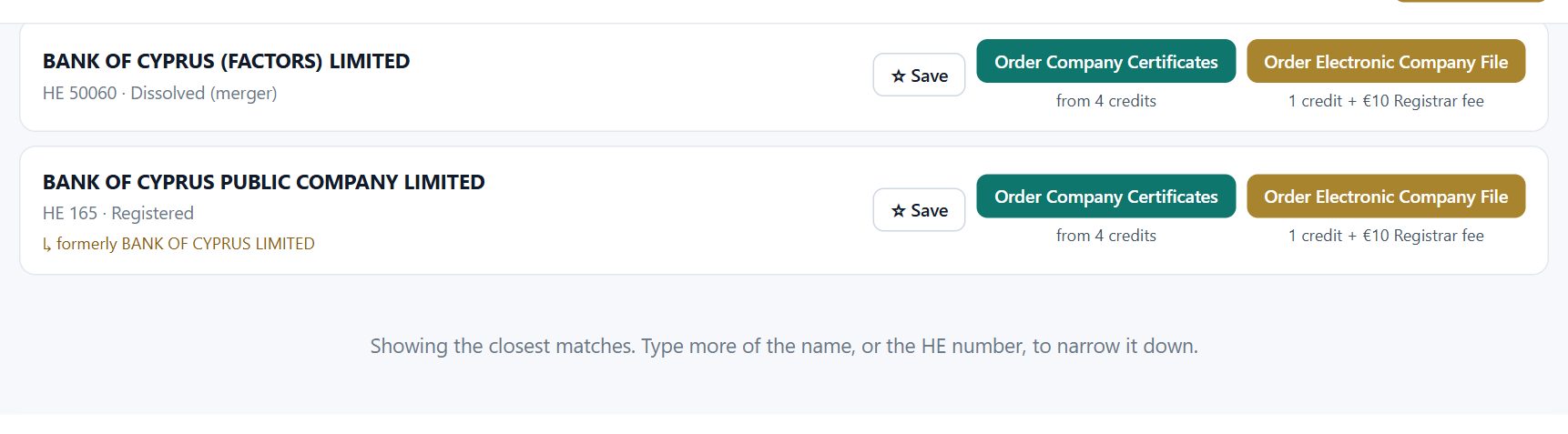
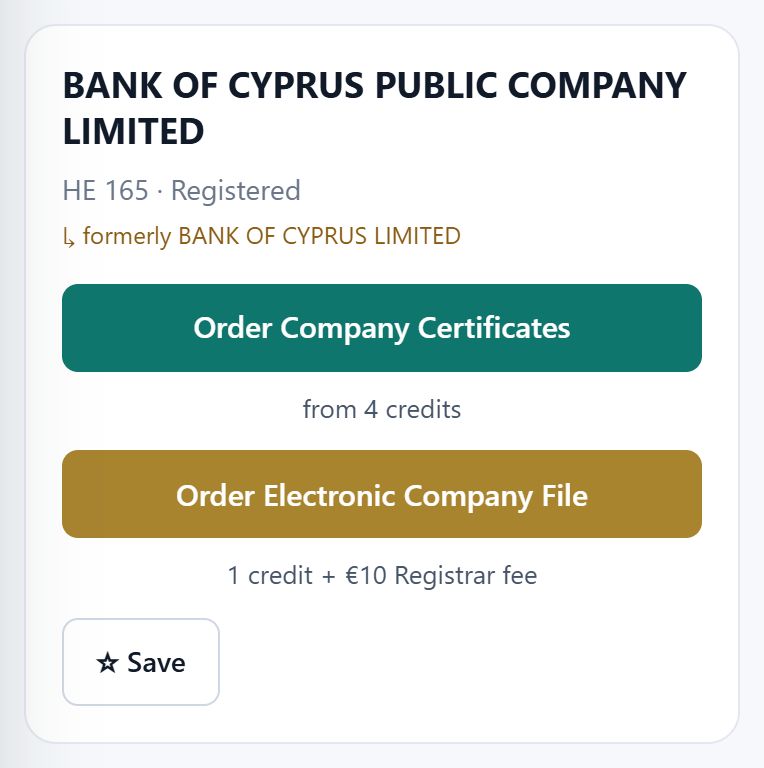
Each result shows the company's registered name, its ΗΕ number, its status at the Registrar (Registered, Struck off, Dissolved…) and any former names — so you can be sure it is the company on your contract or invoice. Already here, for free, you know whether the company still exists. What each status means is in our status guide.
Next to each company: Order Electronic Company File (1 credit + the Registrar's €10 fee), Order Company Certificates (from 4 credits) and Save, to keep it in your list.
Searching is free and needs no account. A complete company file costs €20 (the Registrar's €10 fee + €10 to ESearchCy) — and until 1 December 2026 your first credit is free.
3. Sign in or create an account
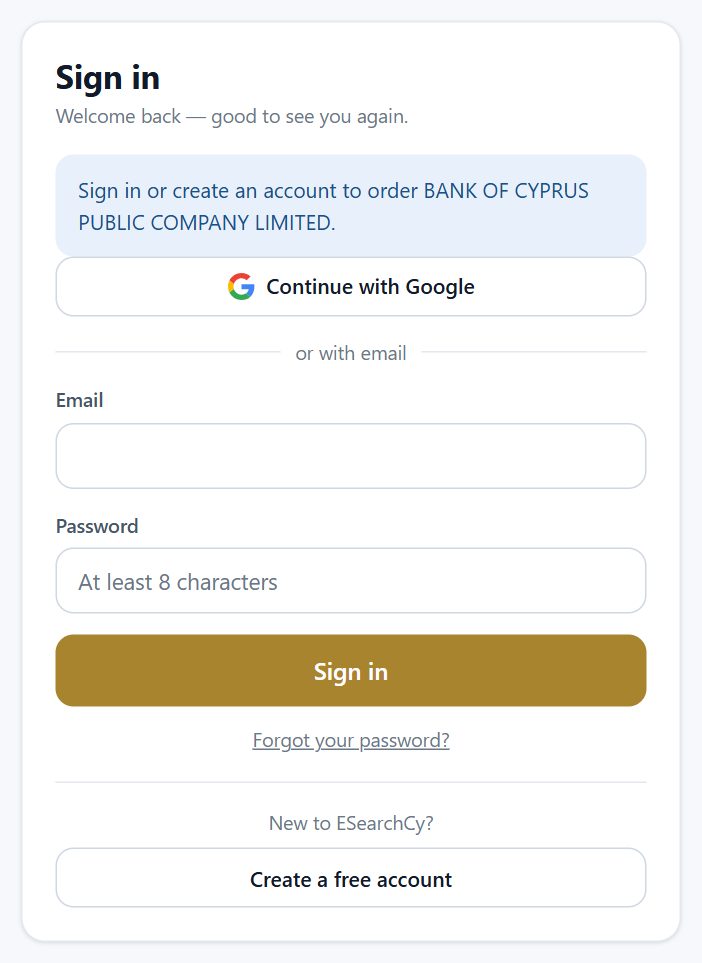
When you press Order, you sign in — with Google, or an email and password. A new account takes a minute; confirm your email and, until 1 December 2026, your first credit is free, so your first file costs only the Registrar's €10.
4. Order and pay the Registrar's €10
ESearchCy carries out the official file study at the Registrar for you, through its own registry access, and checks that the right company is in the basket before any payment. You then pay the Registrar's €10 file-study fee directly on JCC's secure page with your own card (3-D Secure if your bank asks). Nothing is charged until the correct company is confirmed.
5. Receive the complete file
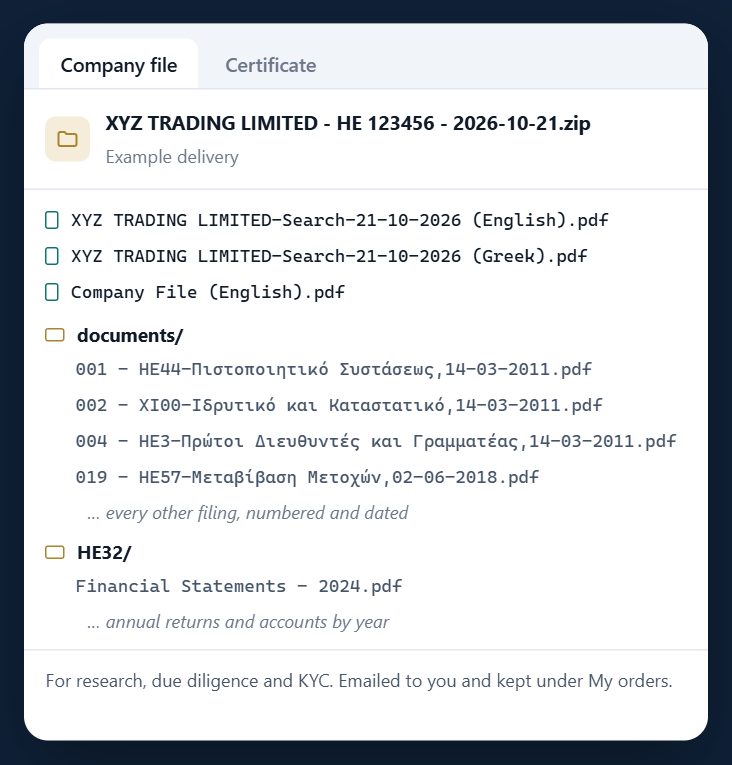
Usually minutes later the file arrives in your inbox as a download link, and it stays under My orders in your account. It is one ZIP with the Registrar's company report in Greek and English, and every scanned filing as a separate PDF, numbered, named by its form and dated — with the annual returns and accounts in their own folder, by year.
On a phone
The same search works on a phone, with the order buttons under each company.
Why order the whole file?
- It saves hours. Doing it yourself means a CyLogin, the Registrar's e-search, and opening and saving every document one by one. Here every document is downloaded for you, named and dated.
- History, not a snapshot. A certificate shows today. The file shows how the company got here: past directors, share transfers, charges created and released, changes of name and address.
- Ready for your AI tools. Give the complete file to the AI assistant you use and it can summarise the company and answer your questions with the full picture — the more of the history it has, the better its answers.
What each form in the file tells you is in every HE form explained.
Watch it in 2 minutes
▶ How to order Cyprus company documents in minutes — 2-minute video
Frequently asked questions
Is searching a Cyprus company free?
Yes. Searching by name or ΗΕ number is free and needs no account. You see the registered name, ΗΕ number, status and former names.
Do I need a CyLogin or gov.cy account?
No. ESearchCy carries out the file study at the Registrar through its own registry access. You need an ESearchCy account and a card for the Registrar's €10 fee.
How long does the company file take?
Usually minutes after the Registrar registers the payment. Very large companies with hundreds of filings take longer; you are emailed when the file is ready.
What does a company file cost?
€20: the Registrar's €10 file-study fee, paid on JCC, plus one €10 credit. Until 1 December 2026 the first credit is free.
Searching is free and needs no account. A complete company file costs €20 (the Registrar's €10 fee + €10 to ESearchCy) — and until 1 December 2026 your first credit is free.
Screenshots taken on esearchcy.com on 25 October 2026; the companies shown are public register entries. This guide is general information, not legal advice — see our Disclaimer.